
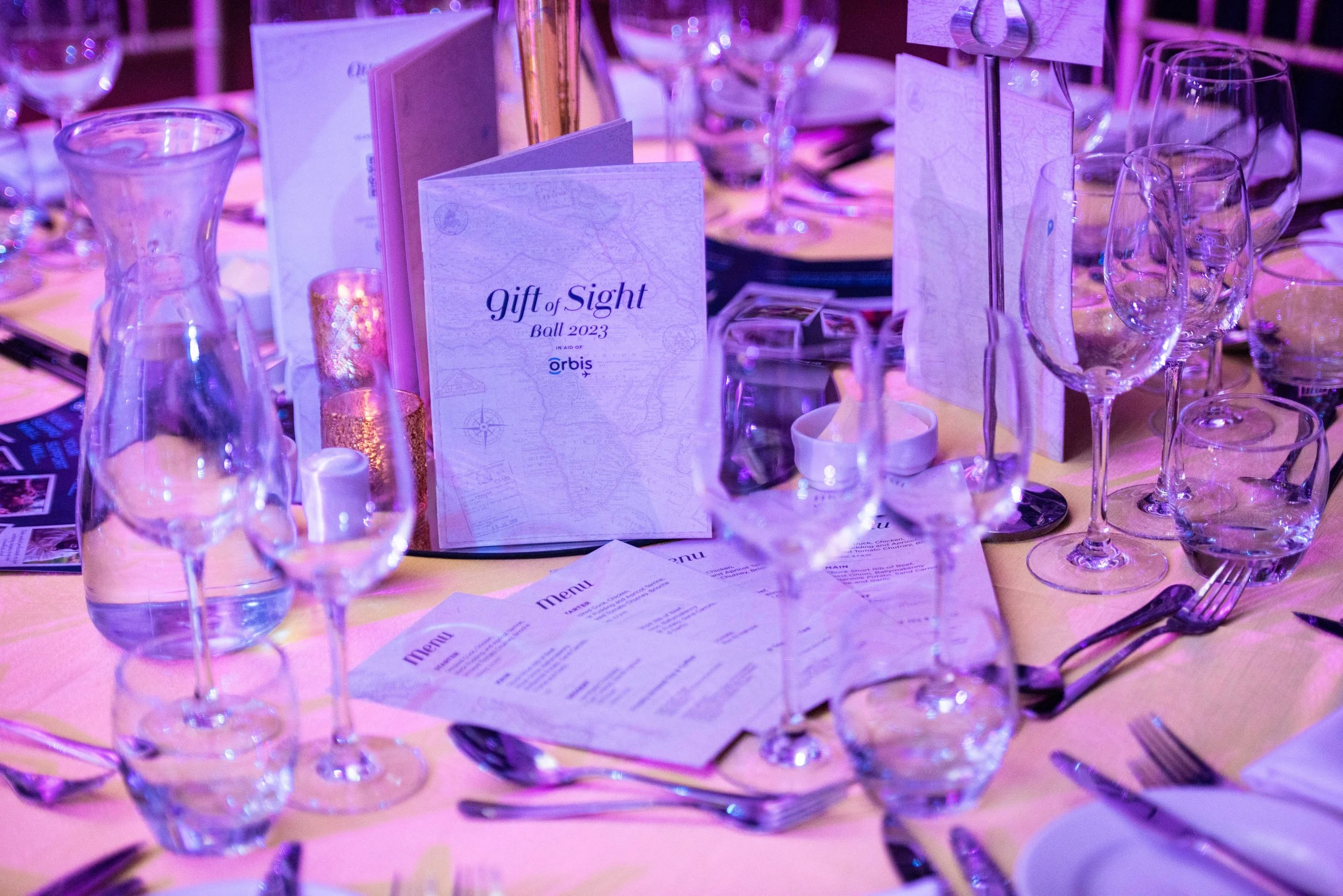
What helps taking pictures at events?
It all begins with an idea.

Taking great pictures at events, whether it’s a conference, wedding, or party, requires a blend of technical skills, preparation, and adaptability. While each event has its unique demands, there are several strategies and tips that can help ensure you capture memorable, high-quality images.
Know Your Equipment
Before attending any event, become familiar with your gear. This includes your camera, lenses, flash, and any additional equipment (e.g., tripod, remote shutter, light modifiers). Understanding your gear allows you to work efficiently, especially when you're under time constraints.
Camera: A DSLR or mirrorless camera with manual controls will give you the most flexibility. Ensure you’re comfortable with settings like ISO, aperture, and shutter speed.
Lenses: A fast prime lens (e.g., 50mm f/1.8) works well for low-light situations and creating a shallow depth of field. A zoom lens (e.g., 24-70mm) provides flexibility to shoot from various distances.
Flash: If the venue is poorly lit, a bounce flash can help illuminate subjects without creating harsh lighting. Always have spare batteries.
Understand the Event and Venue
Understanding the event’s purpose and the venue’s layout can make a significant difference in your photos. Whether it’s a corporate event, wedding, or party, knowing the key moments and where they’ll occur will help you anticipate shots.
Floor Plan: Familiarize yourself with the event’s space. Identify the main areas, such as stages, booths, or dance floors, to determine where you’ll be stationed and how to move around.
Event Schedule: Know the key moments (e.g., speeches, presentations, first dances, etc.) so you can position yourself appropriately in advance.
Lighting Mastery
Lighting is crucial to achieving sharp, well-exposed images. Event venues often feature poor or inconsistent lighting, so being able to adapt quickly is essential.
Natural Light: When possible, take advantage of natural light. Position yourself near windows or well-lit areas to capture candid moments without relying on flash.
Artificial Light: If you’re indoors and the lighting is harsh or dim, consider using an external flash or continuous lighting. If you're using flash, avoid pointing it directly at your subject—bounce it off a wall or ceiling for softer, more natural light.
White Balance: Different lighting sources (fluorescent, incandescent, LED) can create color casts in your photos. Set the white balance manually or shoot in RAW format so you can adjust it during post-production.

Set the Right Camera Settings
The best settings for event photography depend on the lighting and motion present. Below are general settings for a variety of situations.
Shutter Speed: For sharp, motion-free images, aim for a shutter speed of at least 1/200 for still subjects. If there’s movement (e.g., dancing or people walking), increase the shutter speed to 1/500 or higher.
Aperture: A wide aperture (e.g., f/1.8 to f/3.5) creates a shallow depth of field, making the subject pop while blurring the background. For group shots, you may need a narrower aperture (e.g., f/5.6) to ensure everyone is in focus.
ISO: In low light, you may need to increase your ISO. However, avoid going too high (e.g., 3200 or above) to prevent excessive noise. Try to keep the ISO between 800-1600 if you’re shooting indoors.
Continuous Shooting Mode: Use burst mode or continuous shooting for moments with fast action, such as people laughing or a bride walking down the aisle.
Anticipate Key Moments
Great event photography captures the essence of the moment. Knowing the event schedule, you can anticipate key moments and position yourself for the best shot.
Candid Shots: Events are full of candid, unscripted moments—guests chatting, speakers interacting with the audience, or spontaneous laughter. Be ready to capture these moments by staying alert and moving around the venue.
Formal Shots: Group photos or posed portraits often take place during quieter moments (e.g., after a speech or during a break). Organize these shots quickly and efficiently to avoid wasting time.
Details: Capture small but important details—decor, food, and expressions—that convey the mood and atmosphere of the event.
Composition Tips
Good composition elevates an image from average to professional. Use these composition techniques to create visually engaging photos:
Rule of Thirds: Position the subject off-center, using the rule of thirds for more dynamic and balanced photos.
Leading Lines: Use natural lines (e.g., corridors, table edges, or architectural features) to draw the viewer's eye toward the subject.
Framing: Use elements like doorways, windows, or trees to naturally frame your subject and focus attention on them.
Fill the Frame: Get close to your subject or zoom in to avoid unnecessary distractions in the background.
Capture a Variety of Shots
Don’t stick to one type of photo throughout the event. A good event portfolio includes a mix of candid shots, posed portraits, wide shots, and details.
Wide Shots: Capture the overall atmosphere of the event—show the crowd, venue, and decorations.
Close-ups: Focus on individual faces, gestures, or details (e.g., hands shaking, wedding rings, or food).
Action Shots: If there’s any performance, activity, or movement (e.g., a speaker on stage or guests dancing), make sure to capture the energy of the moment.
Work Quickly and Be Adaptable
Event photography requires speed and adaptability. The event may move quickly, and things don’t always go as planned. Be ready to shift gears based on the environment.
Move Stealthily: Try not to be intrusive. Move quietly and tactfully, especially during speeches or sensitive moments.
Change Perspectives: Don’t be afraid to experiment with different perspectives. Shoot from high or low angles, and take advantage of different focal lengths.
Adapt to Changing Conditions: If the lighting changes or the schedule shifts, adjust your settings on the fly. Being adaptable will ensure you don’t miss important moments.

Engage with the Crowd
Building rapport with guests and organizers can make your job easier. Engaging with people helps you gain access to great shots, whether it’s a candid portrait or a behind-the-scenes moment.
Communicate: Before the event, speak with the organizers to know what’s expected of you. During the event, communicate with guests, letting them know when they’ll be photographed.
Be Professional: While being friendly is important, it’s essential to remain professional at all times. Keep a low profile when needed, but be ready to step in when your shot is needed.
Post-Processing
Even if you nail the perfect shot in-camera, some editing is usually necessary.
Enhance Exposure and Contrast: Adjust exposure, highlights, and shadows to make sure your images are well-balanced.
Correct White Balance: If the lighting caused color issues, correct it in post-processing to ensure natural-looking colors.
Crop and Straighten: Crop unnecessary elements out of the frame and straighten your images to avoid slanted lines.
Conclusion
Taking great event photos requires more than just technical knowledge; it’s about anticipating key moments, engaging with the environment, and reacting to fast-moving situations. By mastering your equipment, understanding lighting, capturing varied shots, and working quickly and discreetly, you’ll be able to produce a collection of professional, impactful images that encapsulate the essence of the event.

Conference photography at Harrogate Convention Centre
It all begins with an idea.

Taking conference photos at the Harrogate Convention Centre can present various challenges. These challenges stem from factors such as lighting conditions, crowd management, and the physical layout of the venue. Understanding these issues and preparing accordingly can help ensure you capture professional-quality images.
Lighting Conditions
Conference venues like Harrogate Convention Centre often feature artificial lighting, which can be inconsistent and tricky to manage. Poor lighting might lead to issues such as overexposure, underexposure, or color imbalances in your photos. Additionally, conference halls tend to have mixed lighting, such as fluorescent overhead lights and natural light from windows, which may not match in color temperature.
Solution:
Use a camera with good low-light performance. DSLRs and mirrorless cameras with large sensors generally perform better in dim lighting.
Bring a portable flash or use external lighting like softboxes to fill shadows without harsh spots.
Shoot in RAW format to give you flexibility in adjusting exposure and white balance in post-processing.
Crowds and Movement
Conferences are typically crowded, with many attendees moving around or standing in front of key moments you want to capture. This can lead to challenges in framing and timing your shots. People constantly moving through your frame may disrupt your composition.
Solution:
Use fast shutter speeds (1/500 or higher) to freeze motion, especially if you're capturing quick action like networking or panel discussions.
Scout quieter moments such as before the event starts or during breaks for cleaner shots without interruptions.
Use a wide-angle lens to capture large groups and the overall scale of the event, especially when attendees are scattered across a space.
Venue Layout and Space
The layout of the Harrogate Convention Centre, with its multiple rooms, stages, and breakout areas, can be challenging when it comes to navigating between locations to capture different aspects of the event. The venue may feature both small meeting rooms and large exhibition halls, requiring different shooting strategies.
Solution:
Get a floor plan of the venue and identify key locations ahead of time, such as where important sessions or keynote speeches will take place.
Scout the best angles to avoid shooting into harsh lighting or facing obstructions like pillars or banners.
Keep your gear light and mobile, using versatile lenses like a 24-70mm zoom to move easily between spaces without wasting time setting up new equipment.

Audio/Visual Equipment
Most conferences feature A/V setups, such as large screens, projectors, or microphones. These can introduce glare, reflections, or uneven lighting, especially if your photos include the stage area or any presentation displays. Bright screens can create problems with exposure and focus, while microphones or cameras might be visible in your shots.
Solution:
Be mindful of screen brightness. Avoid directly facing projectors or screens when framing your shot to prevent overexposure.
Use a polarizing filter to reduce glare from shiny surfaces like screens or glossy displays.
Adjust your flash settings to avoid overexposing areas that are lit by the projector. Consider turning the flash off entirely if it competes with the lighting.
Candid vs. Posed Shots
Balancing between candid shots of attendees and posed group or individual portraits is another challenge. Some people may feel uncomfortable being photographed, especially in the middle of conversations or presentations. Balancing discretion and professionalism is key to capturing great images without interrupting the flow of the event.
Solution:
Be discreet when taking candid shots, using a longer lens to capture moments from a distance without disrupting the scene.
Engage with attendees before asking for posed shots, and allow them to feel comfortable in front of the camera.
If photographing speakers, always ask for their permission for close-up portraits during or after their session.
Limited Time to Capture Key Moments
Conferences often have tight schedules, with sessions starting and ending on time. This can make it difficult to get all the important moments, especially if there are multiple concurrent events or speeches. Additionally, attendees may be too busy or in motion, making it hard to capture them in ideal moments.
Solution:
Plan ahead by reviewing the event schedule and coordinating with organizers to ensure you know when key moments, such as keynote speeches or panel discussions, will occur.
Use multiple cameras or setups if possible, to cover different angles and get a variety of shots in a short amount of time.
Focus on moments of interaction—such as Q&A sessions or networking breaks—when attendees are more likely to be still and engaged.

Dealing with Backgrounds and Distractions
Large conference venues often feature cluttered or distracting backgrounds, such as banners, signage, or other exhibitors' booths. These elements can detract from the main focus of your images, especially if the background competes with your subjects.
Solution:
Use shallow depth of field to blur distracting backgrounds and ensure your subjects are in sharp focus.
Position your subjects carefully, using the natural layout of the venue to avoid busy or cluttered areas in the background.
If possible, take the time to arrange the scene to minimize distractions, whether that involves adjusting your angle or moving items out of the frame.
Technical Difficulties
Technical issues, such as running out of memory cards, battery power, or dealing with faulty gear, can occur during an event as busy as a conference. Given the fast pace and high volume of photos you’ll likely take, it’s essential to be prepared.
Solution:
Always carry backup batteries, memory cards, and extra camera gear.
Have a backup camera if possible, especially if you're shooting for clients or for professional purposes.
Check your settings regularly to ensure you’re shooting with the right exposure, focus, and resolution for each moment.
Conclusion
Taking conference photos at the Harrogate Convention Centre requires preparation, flexibility, and an understanding of the unique challenges of event photography. From managing unpredictable lighting to navigating crowded spaces and handling technical difficulties, being well-prepared can help you capture the essence of the event while ensuring high-quality results. By planning your shots, adjusting your settings, and maintaining a proactive approach, you can successfully capture the key moments of a conference while managing the complexities of the venue.

Medical exhibition photography
It all begins with an idea.

Taking images at a medical exhibition presents a unique set of challenges for photographers, particularly given the specialized nature of the content, the audience, and the often strict rules governing such events. Medical exhibitions showcase cutting-edge technologies, healthcare innovations, medical devices, and often live demonstrations. While the goal may be to capture high-quality images for marketing, documentation, or press coverage, several obstacles can arise. Here are the key challenges and potential solutions to ensure successful photography at a medical exhibition:
Strict Photography Policies
Problem: Many medical exhibitions, especially those dealing with sensitive or proprietary technologies, have strict rules about photography. Some exhibitors may not want their products or intellectual property captured for competitive reasons, or there may be concerns about privacy, especially in demonstrations involving medical personnel or patients.
Solution:
Clarify Rules Ahead of Time: Before attending the exhibition, research and confirm the photography policy. If photography is allowed, inquire about any restrictions, such as whether flash or tripods are permitted.
Respect Exhibitors' Requests: Always follow the exhibitors' guidelines and avoid taking photos in restricted areas. If you're unsure, ask for permission before photographing specific booths or products.
Complex Lighting Conditions
Problem: Medical exhibitions often take place in large, open spaces with varied lighting conditions. Exhibits may use different types of lighting to highlight their products or displays. The presence of bright, harsh artificial lights, combined with the natural daylight coming through windows, can result in an uneven exposure. Shadows, reflections, or overly bright spots can obscure key details.
Solution:
Use Manual Exposure Settings: To control lighting and avoid overexposure or underexposure, set your camera to manual mode. Adjust the shutter speed, ISO, and aperture to achieve balanced exposure.
Adjust White Balance: Different light sources, like fluorescent and tungsten lighting, can cause color temperature differences. Adjust the white balance on your camera to avoid unnatural color casts. You may also shoot in RAW format to correct white balance in post-processing.
Utilize a Polarizer: If photographing objects behind glass, such as displays or screens, use a polarizing filter to minimize reflections and maintain clarity.
Crowds and Congestion
Problem: Medical exhibitions often attract large crowds, making it challenging to get clear shots of products, exhibits, or demonstrations. Visitors may block your view or create distractions in the background. Capturing an isolated shot of a product or display can become nearly impossible in such busy environments.
Solution:
Photograph During Off-Peak Times: Arrive early in the day or during slower periods to avoid the crowds. Alternatively, try to photograph during lunch breaks or other times when fewer attendees are around.
Use Wide-Angle Lenses: Wide-angle lenses allow you to capture more of the exhibition space and avoid the need for tight framing. This way, you can photograph a booth or demonstration even when surrounded by people.
Candid Shots: Instead of trying to avoid people, consider capturing candid moments of visitors interacting with the exhibits. This adds context and life to your photos and reflects the exhibition’s true atmosphere.

Overhead and Harsh Lighting
Problem: Many exhibition halls use overhead lighting, which can create harsh shadows, particularly when photographing medical devices or equipment. This type of lighting can cast unwanted shadows on objects and reduce the visibility of fine details.
Solution:
Diffuse the Light: If you're photographing objects under harsh overhead lights, use a diffuser to soften the light and eliminate strong shadows. A softbox or bounce flash can also help soften the light source.
Use a Reflector: A reflector can help bounce light back onto the object, filling in shadows and providing a more even illumination across the subject. This is particularly helpful when capturing products or devices.
Adjust Angle: Alter the angle of your shots to minimize harsh shadows. Shooting at different angles can help you avoid strong contrasts and create a more balanced image.
Capturing Small, Detailed Products
Problem: Medical exhibitions often showcase intricate medical devices, tools, and technologies that require close-up shots to highlight their details. Getting a sharp and well-lit shot of small items can be difficult due to the limitations of lighting and space constraints.
Solution:
Macro Lens: For capturing small medical devices, a macro lens is essential. This type of lens allows you to focus on fine details and textures without distortion, enabling you to capture the intricate features of products.
Use a Tripod: When photographing small objects, especially under low light, a tripod can help stabilize your camera and prevent blur caused by camera shake. A tripod also allows for more precise framing and composition.
Use Controlled Lighting: To highlight fine details, use controlled lighting sources, such as small LED lights or ring lights. These can provide consistent, focused lighting to highlight textures and features of medical tools.
Capturing Live Demonstrations
Problem: Many medical exhibitions feature live demonstrations of medical devices, procedures, or healthcare technology in action. These demonstrations can be fast-paced and require quick reflexes to capture key moments. Additionally, issues like poor lighting, movement, and the unpredictability of the demonstration itself can make it difficult to get sharp and clear images.
Solution:
Fast Shutter Speed: Use a fast shutter speed to freeze the action during live demonstrations. A shutter speed of 1/500s or faster is typically necessary to capture quick movements without blur.
Continuous Shooting Mode: Set your camera to burst or continuous shooting mode to capture multiple frames per second. This increases the chances of getting the perfect shot, especially in dynamic environments.
Focus on Key Moments: Preemptively anticipate key moments in the demonstration, such as product features being shown, interactions between presenters, or close-ups of medical devices in use. This allows you to prepare and ensure you capture critical actions.
Sensitive Content
Problem: Many medical exhibitions may include content that is sensitive, such as medical procedures, patient demonstrations, or graphic imagery. This type of content requires careful handling, and photographing such situations can raise ethical issues or privacy concerns, especially if patients or private health information is involved.
Solution:
Obtain Consent: If you plan to photograph medical procedures, demonstrations, or people (particularly patients), obtain explicit consent from all parties involved. Ensure that they are aware of the purpose of the photos and how the images will be used.
Respect Privacy: Be mindful of confidentiality and privacy laws, particularly when photographing sensitive medical information or private consultations. Avoid capturing identifying details unless explicitly allowed.
Consider Ethical Boundaries: Be cautious when photographing graphic or sensitive medical content. Some medical professionals or patients may feel uncomfortable with such images being shared publicly. Always ask permission and respect boundaries.
Unpredictable Backgrounds
Problem: Exhibition halls can be busy, with various booths, signage, and banners in the background that may detract from the focus of your shot. In busy exhibition settings, cluttered backgrounds can easily distract from the main subject, whether it's a medical device, demonstration, or presentation.
Solution:
Use Selective Focus: Use a wide aperture (low f-stop number) to create a shallow depth of field, allowing you to blur the background and keep the focus on the product or subject in the foreground.
Frame and Compose Carefully: Take time to compose your shots, paying attention to the background. Look for clean, uncluttered backgrounds or try to position your subject in a way that minimizes distractions.
Post-Processing: If background distractions cannot be avoided during shooting, consider editing your images in post-production to remove or blur unwanted elements.
Time Constraints
Problem: Medical exhibitions can be time-sensitive, with busy schedules, short durations for photographing specific events or demonstrations, and the need to capture large amounts of content in a short amount of time.
Solution:
Prepare in Advance: Familiarize yourself with the layout of the exhibition, the key booths, and any events or product launches you'll be documenting. Planning ahead ensures that you don't waste time figuring out what to shoot.
Efficiency in Shooting: Optimize your workflow by adjusting your camera settings before the event starts, allowing you to quickly capture high-quality images without spending time fiddling with settings during the event.
Regulating Access to Products
Problem: Some exhibitors may restrict access to certain medical products or equipment for photography due to their sensitive nature, potential for misuse, or the need for specific permissions.
Solution:
Ask for Permission: Always ask the exhibitor if it’s possible to photograph certain equipment or devices that may be behind barriers or have restricted access. In many cases, the exhibitor may allow you to take photos upon request.
Focus on the Environment: If direct access to products is not possible, consider photographing the environment or the people interacting with the products. This can help convey the intended use or context of the items.

Conclusion
Photographing a medical exhibition requires a careful approach due to the complex environment, the specialized content, and the various restrictions involved. By understanding the challenges that come with photographing medical exhibitions—such as strict rules, lighting issues, crowd management, and privacy concerns—photographers can be better prepared. With the right techniques and equipment, including manual exposure control, wide-angle lenses, and the ability to work with limited lighting, photographers can successfully document the event while respecting the sensitive nature of the medical field.

Taking images with both natural and indoor light
It all begins with an idea.

Taking images in a room where both natural and indoor light sources are present can create a unique set of challenges. These two light sources differ significantly in color temperature, intensity, and quality, which can cause problems for photographers aiming for well-balanced and aesthetically pleasing images. Below are some common obstacles photographers encounter when shooting with a combination of natural and indoor lighting, and ways to address them effectively.
Color Temperature Mismatch
Problem: The most significant issue when using natural and indoor light together is the color temperature difference. Natural light, particularly sunlight, is generally cooler (bluer), whereas indoor lighting—such as incandescent, tungsten, or LED lights—tends to be warmer (yellow/orange). This mismatch can result in parts of the image having a color cast, where some areas look too warm or too cool.
Solution:
White Balance Adjustments: To address color temperature discrepancies, you can manually adjust the white balance on your camera. Most cameras allow you to set a custom white balance, which will help balance the light sources and make the image look more natural.
Post-Processing: If you shoot in RAW format, you can make fine adjustments to the white balance in post-production to correct any color cast. This is a great option because RAW files retain more color information, giving you more control over adjustments.
Use of Gels or Filters: If possible, apply color correction gels or filters to the indoor lights. For instance, using a CTO (color temperature orange) gel over your artificial lights can help match them to the cooler tone of natural light.
Uneven Lighting
Problem: When shooting in a room with both natural and artificial light sources, there may be significant differences in intensity between the two. Natural light from a window can be much brighter than indoor lights, especially during the day. This can lead to uneven lighting across your subject, where some areas are well-lit by the natural light while others are illuminated by the weaker artificial lights, resulting in an imbalance in exposure.
Solution:
Positioning and Balancing: Try to position your subject so that both light sources fall evenly on the subject. If the natural light is too strong on one side, you can diffuse it by using curtains or diffusers. This can soften the light and reduce its intensity, making it easier to balance with the indoor lighting.
Use Reflectors: Reflectors can help bounce natural light into shadowed areas, evening out the overall lighting in the room. This is particularly useful for portraits, where you might want to soften shadows on the subject’s face.
Adjust Exposure Settings: Adjusting your camera’s exposure settings (shutter speed, aperture, and ISO) can help balance the overall exposure. For example, lowering the ISO can prevent the artificial light from becoming too overpowering, or adjusting the aperture can help bring more light from the natural sources into the frame.

Harsh Shadows and Highlights
Problem: When natural and indoor light mix, it can cause harsh shadows and overly bright highlights, particularly when one light source is stronger than the other. For example, if a subject is positioned near a window, the natural light can cast strong shadows on one side of the subject, while indoor lights can create additional shadows or highlights that don't look natural.
Solution:
Diffusing the Light: Softening the light with diffusers or curtains can reduce the contrast between the two light sources and prevent harsh shadows. If the natural light coming through the window is too intense, using a sheer curtain or a diffuser can soften it.
Fill Light: To counteract strong shadows, use a fill light, such as a reflector or a soft light from another source. This can help fill in the shadows without creating an overpowering highlight from the artificial light source.
Avoiding Direct Overhead Lighting: Overhead indoor lights can cast strong shadows under the eyes, nose, and chin in portraits. Position your subject away from direct overhead lights, and use diffused or bounced indoor lighting to reduce these harsh shadows.
Inconsistent Color in Different Parts of the Image
Problem: When shooting in a room with a combination of natural and indoor light, you might end up with portions of the image having different color tones. For example, the side of your subject lit by the window could have a cooler tone, while the areas lit by the indoor lights might have a warm or yellowish hue. This creates a distracting contrast in the final image.
Solution:
Balance the Light Sources: If possible, adjust your position so the subject is evenly lit by both types of light. If this isn't possible, adjust the white balance for the specific light source that's dominating your scene (e.g., set it for daylight if natural light is stronger or tungsten if indoor light is more dominant).
Selective Color Correction in Post-Processing: In post-processing software like Adobe Lightroom or Photoshop, you can use graduated filters or adjustment brushes to selectively correct color in specific parts of the image. This way, you can adjust the areas lit by artificial light or natural light to create a more cohesive color temperature throughout the image.
Exposure Problems
Problem: Exposure problems arise when trying to balance the varying intensities of natural and artificial light. The natural light streaming through the window may cause overexposure in the areas directly hit by sunlight, while the artificial lights in the room may be too dim to properly expose the entire scene.
Solution:
Use Manual Mode: Shooting in manual mode allows you to control your exposure settings more precisely. Set the aperture to allow enough light from both sources, adjust the shutter speed for proper motion control, and increase or decrease ISO based on the strength of the lights in the room.
HDR Photography: For extreme contrast situations (where there is significant variation in brightness between natural and artificial light), consider using high dynamic range (HDR) photography. This involves taking multiple exposures of the same scene and blending them together to create an image with a balanced exposure across all light levels.
Avoid Overexposing Windows: If your shot involves both indoor and natural light, try to avoid having windows directly in your frame, as this often leads to overexposure from the bright sunlight. If you do want the window in your shot, expose for the highlights and bring up the shadows in post-processing.
Limited Control Over Natural Light
Problem: One of the more significant challenges when mixing natural and artificial light is that natural light is uncontrollable and can change throughout the day. The intensity of sunlight may shift, or cloud cover may change, which means the lighting can vary significantly as you shoot.
Solution:
Use Curtains or Blinds: If the natural light is too harsh or constantly changing, you can use curtains, blinds, or diffusers to control its intensity and direction. Sheer curtains help diffuse the light, reducing its harshness while still allowing some light to filter through.
Artificial Lighting Adjustments: Adjust your indoor light to compensate for the fluctuating natural light. Use light dimmers or add more light sources to balance the scene if the natural light becomes too bright or weak.
White Balance Variability
Problem: Natural light and indoor light can produce different color temperatures, resulting in an image where some areas have a cool tone, while others look warm or even overly yellow. This is especially noticeable when shooting portraits, where skin tones may appear unnatural due to the clash between the light sources.
Solution:
Custom White Balance: Set a custom white balance based on the room’s lighting conditions. You can use a gray card to manually adjust your white balance settings for a more accurate and consistent result.
Shoot in RAW Format: Shooting in RAW allows for greater flexibility in post-production. You can correct white balance issues without compromising the quality of your image. Adjusting the temperature sliders in Lightroom or other editing software can bring consistency to the image’s overall color.
Difficulty in Capturing Fine Details
Problem: When combining natural and artificial light sources, it can be difficult to capture fine details in the subject, especially in scenes with contrasting lighting or heavy shadows. This is particularly problematic when photographing textured objects or intricate close-up shots, where subtle differences in light intensity can obscure important details.
Solution:
Use a tripod: For close-up shots or macro photography, using a tripod can help ensure sharp images while allowing you to adjust your settings more effectively. This is particularly useful in low light when slower shutter speeds are required.
Use Soft Light Modifiers: Soft boxes, diffusers, or even homemade solutions like white sheets or baking paper can help diffuse both artificial and natural light, reducing harsh highlights and creating a more even spread of light across the subject.

Conclusion:
The lighting challenges in conference photography are significant but can be managed with the right skills and equipment. Successful conference photographers need to be adaptable, making quick decisions on camera settings and equipment adjustments. With experience and expertise, they learn to handle low-light environments, mixed lighting conditions, and unexpected lighting changes without disrupting the flow of the event. Mastering these lighting challenges ensures that the photos they take are not only technically excellent but also visually compelling, telling the story of the conference in a way that resonates with participants long after the event ends.

Conference Lighting challenges
It all begins with an idea.

The 62nd Annual Meeting of the European Society for Paediatric Endocrinology (ESPE) took place from November 16 to 18, 2024, at the ACC Liverpool, an interconnected arena, convention, and exhibition centre situated on the banks of Liverpool’s waterfront.
Themed "Lifelong endocrine care through collaboration, discovery, and innovation," the conference brought together leading experts in paediatric endocrinology to discuss advancements in the field.
The scientific programme featured a diverse range of sessions, including keynote lectures, symposia, and workshops, covering topics such as diabetes, growth disorders, and endocrine genetics. Attendees had the opportunity to engage with cutting-edge research and clinical practices.
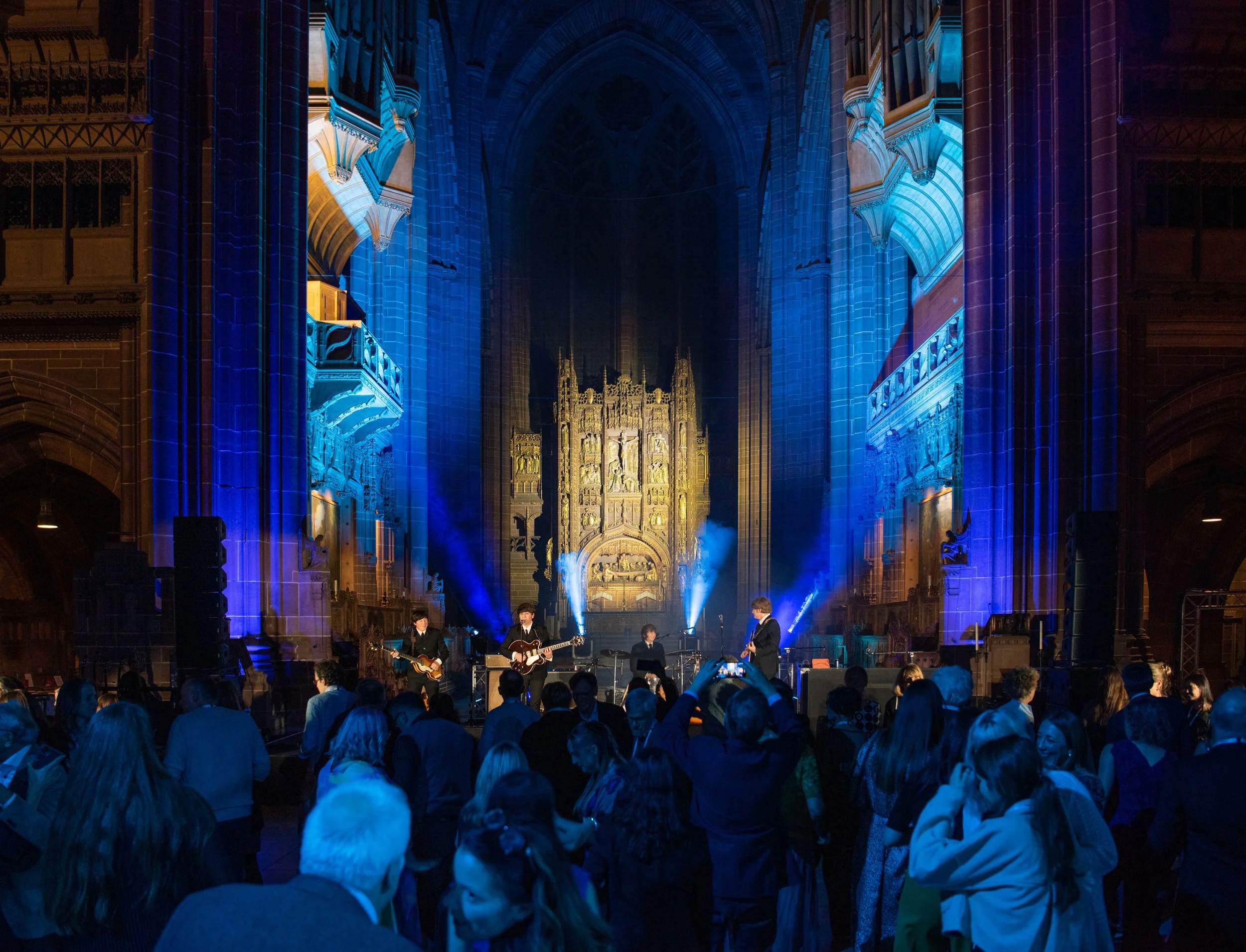
In addition to the scientific sessions, the meeting offered networking opportunities, allowing professionals to collaborate and share insights. A highlight was the ESPE Evening held on November 16 at the Liverpool Cathedral, providing a social setting for delegates to connect.
The event also featured ePoster Tours, where selected posters were presented during lunch breaks, facilitating interactive discussions among participants.
Overall, ESPE 2024 served as a significant platform for advancing paediatric endocrinology through collaboration, discovery, and innovation.
One of the trickiest aspects of conference photography is managing lighting conditions in dynamic environments. Unlike studio settings or controlled photo shoots, conferences typically take place in large, sometimes poorly lit, and fast-changing venues. The unpredictable lighting at such events presents a considerable challenge to photographers who must ensure that the photos are clear, sharp, and visually compelling without compromising the quality of the images.
Lighting Challenges in Conference Photography
Varied Lighting Conditions: Conferences often take place in venues with mixed lighting setups. In large auditoriums, natural light may flood the room through windows, while artificial lighting (overhead, spotlights, and stage lights) can create harsh contrasts. These different light sources can cause uneven color balance, making the photos appear inconsistent. For instance, the stage lights may create a warm glow on speakers, but overhead lights could cause the background to look dull and lifeless. Photographers must skillfully adjust their camera settings to balance these various light sources and achieve a harmonious exposure.
Low Light Environments: Many conferences are held in rooms with dim lighting to create a comfortable atmosphere, often necessary for visual presentations or videos on large screens. While these low-light settings may be ideal for the comfort of the audience, they pose significant problems for photographers. Low light often results in blurry images unless a photographer compensates with a slow shutter speed or higher ISO, both of which can compromise the sharpness or introduce noise in the photo.
Furthermore, photographers may also need to use flash to brighten the scene, which, when used incorrectly, can disturb both the attendees and the speaker. Flash can cause harsh shadows, overexposure of close subjects, or cause a “deer-in-the-headlights” effect on the individuals being photographed. In some cases, flash may be restricted or prohibited during speeches or presentations to avoid distractions, making the task even more complex.
Overcoming Mixed Lighting Sources: In large conferences, multiple light sources might be present, including fluorescent lighting, ambient room lighting, and strong stage lighting. A significant challenge is balancing these light sources to maintain consistency across different shots. For example, an image of a panel discussion under cool, fluorescent lighting can look very different from a speaker illuminated by warm spotlights. This variation requires careful color correction post-production, or if a photographer is quick with settings adjustments, they can balance the exposures in-camera.
To counteract this, a photographer must often take several test shots and adjust the camera’s white balance, ISO, and aperture settings, so the photos are neither too warm nor too cold. This requires a keen understanding of how different light sources affect the final image.

Compensating for Lighting Issues
Camera Settings: Photographers must have an in-depth knowledge of their cameras and how they interact with light. They need to make quick adjustments to ISO, aperture, and shutter speed to ensure the best results. A low ISO (e.g., 100-400) will keep noise to a minimum in bright areas, but in dim settings, the photographer may need to increase the ISO (800-1600 or higher). Higher ISO settings, however, can introduce grain, so balancing between a high enough ISO to avoid underexposure and a low enough ISO to keep the photo clean is an art in itself.
To manage the exposure properly, a larger aperture (a smaller f-number like f/2.8) is often needed to let more light into the camera. This helps compensate for the lack of natural light in many conference venues. However, a wide aperture reduces the depth of field, which can make it challenging to keep everyone in focus if the speaker is far from the camera.
The shutter speed also needs to be fast enough to avoid motion blur. A good rule of thumb is to shoot at a speed that’s faster than the focal length of the lens, for example, at least 1/100 for a 100mm lens. However, in darker environments, slow shutter speeds are often necessary, and photographers have to deal with the tradeoff of motion blur versus image brightness.
Understanding Lighting Equipment: In some cases, conference photographers bring their own lighting equipment, like portable strobes or LED panels, to supplement the venue’s lighting. These tools can help illuminate the subjects without being as intrusive as a traditional flash. However, positioning the equipment strategically, especially in crowded or busy environments, can be tricky. A photographer must balance providing enough light to capture details while ensuring the setup doesn’t distract from the event or obstruct sightlines for attendees.
Using Natural Light to Advantage: When possible, photographers should take advantage of natural light sources, such as windows or skylights. However, this requires timing and positioning. A photographer must determine the best time of day when the natural light provides a soft, flattering glow. Adjusting the camera settings for natural light while avoiding harsh shadows or overexposed areas is vital. This can be especially difficult when the conference room has both bright light streaming in from windows and dimmer areas where the action takes place.
Post-Production and Editing:
Even after capturing the perfect shot, the lighting challenges are not over. Often, adjustments in post-production are necessary to fix exposure issues, color balance, and contrast. While raw images from professional cameras capture a lot of detail, the photographer may need to fine-tune highlights, shadows, and color correction to bring out the best in the photo.
For example, the color temperature of a shot may need to be adjusted to compensate for warm or cool lighting effects, especially when shooting under mixed lighting conditions. This requires a deep understanding of photo editing software and the ability to correct color casts effectively.

Conclusion:
The lighting challenges in conference photography are significant but can be managed with the right skills and equipment. Successful conference photographers need to be adaptable, making quick decisions on camera settings and equipment adjustments. With experience and expertise, they learn to handle low-light environments, mixed lighting conditions, and unexpected lighting changes without disrupting the flow of the event. Mastering these lighting challenges ensures that the photos they take are not only technically excellent but also visually compelling, telling the story of the conference in a way that resonates with participants long after the event ends.

Taking images in a Cathedral
It all begins with an idea.

Taking images in a cathedral can be a truly captivating experience, as these sacred spaces often feature stunning architecture, intricate stained glass windows, towering columns, and awe-inspiring altars. However, photographing in such environments comes with specific challenges due to their dim lighting, expansive interiors, and the need to be respectful of the space and its visitors. To capture the beauty of a cathedral in your photos, it is important to understand the unique conditions of the space and utilize the right techniques and equipment. Below is a comprehensive guide to help you take amazing images in a cathedral.
Understand the Cathedral's Atmosphere and Lighting
Low Light Conditions: Most cathedrals are dimly lit, especially those with narrow or high windows, creating an atmospheric and solemn mood. These spaces often feature ambient lighting from chandeliers or overhead lamps, but the light levels can be quite low. As a result, you’ll need to be prepared to handle challenging lighting situations without disturbing the tranquility of the environment.
Natural Light: Take advantage of the natural light coming through stained glass windows, particularly during early morning or late afternoon when the light is softer and more colorful. The light streaming through the windows can create magical, dramatic effects in your photos, but it is often inconsistent and can vary depending on the time of day and weather conditions.
Artificial Lighting: Cathedrals may also have artificial lighting to illuminate the space, such as spotlights or candles. Be aware of how these lights affect the atmosphere of the scene. In some cases, artificial lighting may create harsh shadows or color casts that will require post-processing adjustments.
Flash Photography Restrictions: Many cathedrals do not allow flash photography due to its potential to disturb the reverence of the space and, in some cases, damage delicate artworks and artifacts. Flash also typically doesn’t work well in large, expansive environments like cathedrals because it cannot effectively illuminate distant subjects without overexposing the foreground. It’s best to rely on available light and avoid using flash altogether.

Camera Settings for Cathedral Photography
Given the low-light environment and the need for careful composition, your camera settings are key to capturing sharp, clear images. Here are the essential settings to use:
ISO: Start with an ISO of 800-1600 to ensure sufficient sensitivity to light without too much noise or grain. In low-light situations, you can raise the ISO further, but keep in mind that higher ISOs can introduce more noise, so try to find the right balance between light sensitivity and image quality.
Aperture (f-stop): To capture as much of the scene in focus as possible, use a wide aperture with a low f-number, like f/2.8 or f/4, especially if you're shooting close-up details. If you're capturing large, sweeping views of the interior, a smaller aperture (like f/8 or f/11) will give you greater depth of field and keep more of the image in focus. A larger aperture also lets in more light, which is essential for low-light situations.
Shutter Speed: Since you may be working in low light, a slow shutter speed (such as 1/60 or slower) is often necessary to properly expose the image. However, if you're handholding the camera, ensure that your shutter speed is fast enough to prevent motion blur from shaky hands. For still subjects, you can use slower shutter speeds, but for moving subjects (e.g., people walking or a procession), use faster speeds to freeze motion. If you're using a slow shutter speed, consider using a tripod to avoid camera shake.
Use a Tripod for Stability
In low-light environments like cathedrals, a tripod can be invaluable. It allows you to use slower shutter speeds without the risk of camera shake, ensuring sharper images. A tripod also helps stabilize your camera when you’re shooting wide-angle shots of expansive interiors.
When using a tripod, make sure you are not obstructing pathways or areas where people might be walking, as this may be disruptive or even prohibited in certain locations. Be mindful of the space, and check the cathedral’s policies regarding tripods before setting up.
Composition Tips for Cathedral Photography
The grandeur and scale of a cathedral can be overwhelming, so composing your shots thoughtfully is key to capturing its beauty.
Wide-Angle Shots: Use a wide-angle lens (16-35mm) to capture the full grandeur of the cathedral’s interior. These lenses allow you to encompass the expansive space, from the vaulted ceilings to the altar. Try to position yourself at key focal points to emphasize the symmetry of the architecture and draw the viewer's eye through the image.
Leading Lines: Cathedrals often have dramatic architectural features like rows of columns, aisles, and arches. These elements create natural lines that can be used to guide the viewer’s eye through the image, adding depth and dynamism. Use these leading lines to direct attention to a particular feature, like an altar, window, or statue.
Close-Ups of Details: Don’t just focus on wide shots; take the time to capture close-ups of smaller details, such as ornate carvings, stained glass windows, candles, or intricate sculptures. These details can offer a more intimate and personal perspective of the cathedral’s artistry and craftsmanship.
Symmetry and Perspective: Many cathedrals are designed with symmetry in mind. Center your shots on key architectural elements, such as the altar, nave, or aisle, to emphasize symmetry. Experiment with different perspectives and angles to highlight the unique aspects of the space. A high vantage point or low-angle shot can create interesting perspectives that highlight the scale and depth of the building.
Frame within a Frame: Look for natural frames within the architecture, such as archways or doorways, to frame your subjects. This compositional technique can add depth and a sense of narrative to your photographs, inviting the viewer to explore the image further.
Utilize Natural Light for Atmosphere
One of the most beautiful aspects of cathedral photography is the play of natural light, especially when it passes through stained glass windows. These windows often create vivid colors and a magical atmosphere within the cathedral.
Golden Hour and Blue Hour: If you have the opportunity, try to photograph during the golden hour (just after sunrise or before sunset) or the blue hour (twilight). These times provide soft, diffused light that enhances the mood and ambiance of the cathedral.
Stained Glass Windows: Stained glass windows can be a photographer’s dream, especially when the light filters through them and casts colorful patterns on the cathedral floor. Experiment with different angles to capture the effect of the light, and be aware of how the changing light conditions might impact the composition of the scene.
Post-Processing Cathedral Images
After your photo session, post-processing is essential for refining your cathedral images. While cathedral photography should be as natural as possible, editing can help adjust exposure, white balance, and sharpness.
Adjusting Exposure: In low-light environments, images can sometimes be underexposed. You can adjust the exposure during post-processing to bring out more detail in the shadows without overexposing the highlights.
Correcting White Balance: The lighting in cathedrals, particularly from stained glass windows, can sometimes cause a color cast. Adjust the white balance in editing software to ensure natural, true-to-life colors.
Lens Corrections: Wide-angle lenses can sometimes cause distortion, especially when photographing architectural elements. Use lens correction tools in software like Lightroom or Photoshop to fix any distortion and ensure straight lines.
Be Respectful and Follow Rules
Finally, always be mindful of the cathedral’s rules and regulations. Some cathedrals may prohibit photography altogether or have specific areas where photography is allowed. Always check the guidelines before you start shooting, and be respectful of the space, the worshippers, and any ongoing religious services.
Conclusion
Photographing in a cathedral can be a rewarding experience, but it requires careful consideration of lighting, camera settings, composition, and respect for the space. By understanding how to handle low light, using the appropriate settings on your camera, and focusing on capturing both wide-angle shots and intricate details, you can create stunning images that showcase the beauty of these awe-inspiring environments.

Fashion Show photography
It all begins with an idea.

Taking images at a fashion show can be an exhilarating yet challenging task for photographers. The fast-paced, dynamic environment, combined with unpredictable lighting and movement, requires technical expertise and quick reflexes. Below are some common problems photographers face while taking images at a fashion show and how to overcome them.
Low Lighting and Inconsistent Lighting Conditions
Fashion shows often take place in dimly lit venues, with dramatic lighting designed to highlight the models and the garments. The lighting may vary throughout the event, from spotlights on the runway to more ambient lighting in the audience area. This presents several challenges:
Lighting Adjustments: One of the biggest challenges is adjusting to rapidly changing light conditions. The lighting setup may change between different segments, with strong spotlights on the models or darker areas as the models walk down the runway. As a photographer, you must constantly adjust the camera settings (ISO, aperture, shutter speed) to maintain proper exposure, or risk underexposed or overexposed images.
Color Balance: Spotlights can cast different hues, which might result in color casts on the models or clothing. This requires careful attention to the white balance settings on your camera, or adjustments during post-production to correct these color shifts.
Solution: Use a camera with a high ISO range, but be cautious of introducing too much noise. A fast lens (with a wide aperture, such as f/2.8) is ideal for low-light environments. Always shoot in RAW format, as this gives you more flexibility during post-processing to correct exposure and color issues.
Movement and Motion Blur
Fashion shows are fast-paced events, with models moving swiftly down the runway, striking poses, and walking at varying speeds. This creates the challenge of capturing sharp images while the subject is in motion.
Fast Shutter Speed: To freeze the action and avoid motion blur, you must use a fast shutter speed, typically 1/500s or faster. However, using faster shutter speeds requires compensating with higher ISO or wider apertures to maintain proper exposure.
Focus Accuracy: The models’ rapid movements require continuous autofocus (AF-C or AI Servo mode), but sometimes the camera may struggle to maintain focus, especially with multiple models walking or in cases of lighting flicker.
Solution: To minimize blur, use a shutter speed of at least 1/500s or faster, depending on the model's speed. Using a lens with image stabilization (IS) can help stabilize your shots, especially if you need to lower the shutter speed slightly for more light. Also, ensure your autofocus settings are optimized for continuous focus on moving subjects.

Crowded and Limited Shooting Space
Fashion shows often have crowded environments, with photographers jostling for the best position along the runway or near the front row. These limitations in space can make it difficult to frame your shots effectively.
Limited Angles: When you’re confined to a specific spot, you may not have the freedom to move around to get different angles. As a result, your photos may appear similar, without the variety of perspectives that would be ideal for capturing a fashion show.
Obstructions and Blocking: You may be shooting behind other photographers or spectators who are also vying for the best view. This can lead to obstructed views, blurry shots, or having to crop out unwanted elements in your images.
Solution: Arrive early to secure a good position, and if possible, find elevated platforms or designated areas where you can capture the runway from above. If you’re restricted to one spot, focus on capturing different aspects of the show (such as close-ups of the models, the clothing details, or wider shots that show the entire runway).
Limited Time to Capture the Right Moments
A fashion show moves quickly, with models walking down the runway in a matter of seconds, posing for a brief moment, and then moving on. The photographer has only a short window of time to capture the right moment.
Fast Pacing: The models may only be on the runway for a few seconds, and as they change outfits, the pace picks up. This leaves very little time for photographers to adjust settings between shots or position themselves correctly for the perfect frame.
Missed Shots: With multiple designers presenting multiple outfits, it’s easy to miss key moments or to snap a photo at the wrong moment, such as when the model’s face is obscured by her hair or she’s in an awkward pose.
Solution: Plan ahead and anticipate the models' movements. Practice your timing so that you can capture peak moments, such as when the model strikes a powerful pose or when she reaches the center of the runway. Consider shooting in burst mode (continuous shooting) to increase your chances of capturing the perfect shot.
Overcrowding of Visual Elements
Fashion shows feature vibrant, colorful garments, and sometimes the backdrop, lighting, and even the audience can create a visual overload. Too many elements in the frame can distract from the focal point: the clothing and the model.
Cluttered Backgrounds: Often, the backdrop may be busy with logos, sponsors, or distracting elements, which can draw attention away from the subject. This is especially problematic in wide shots of the entire runway, where the background competes with the model and the garments.
Solution: Keep an eye out for clean, simple backgrounds that won’t compete with your subject. Use a large aperture (such as f/2.8 or f/4) to blur the background and ensure that the model and clothing stand out sharply against it. If you're shooting wide shots, try to position yourself where the background is less cluttered.
Flashes and Distractions
Although many fashion shows prohibit the use of flash photography, it is still something that can sometimes occur, especially if photographers are not following the rules. The flash can be distracting to both the models and other photographers. Additionally, other photographers’ flashes can interfere with your shots, creating unpleasant lighting effects.
Flash Interference: If you're shooting in a venue where flash photography is allowed, the constant flashes from other photographers can cause your images to have unflattering highlights or a "strobe effect," where the subject is lit up in patches.
Solution: Use your camera settings to maximize the available ambient light and avoid the need for flash. If flash is unavoidable, try to position yourself where your photos are less likely to be affected by other flashes. Also, many cameras have features like high-speed sync or rear-curtain sync that can reduce flash interference.
Model's Poses and Expressions
Fashion models typically have a repertoire of poses that they use during runway shows, but it can still be tricky to capture them at their best. Sometimes, models may appear stiff or overly posed, or they may be too focused on the clothing rather than their facial expressions.
Lack of Connection: While the models are walking and posing, they might not always engage with the camera, which can make it difficult to capture expressive, candid moments.
Solution: Focus on capturing a variety of angles, close-ups, and facial expressions. Anticipate the model’s movements and be ready to capture her in a flattering pose. If the model is walking toward you, try to get a shot where she engages with the camera with a powerful gaze, as this can make for a more compelling image.

Post-Production Adjustments
After the fashion show, post-production is a crucial part of the process. While raw photos from the camera may look great in terms of composition and timing, there may be lighting issues, color discrepancies, or other minor problems that need to be addressed.
Exposure Adjustments: Some images might be overexposed or underexposed due to the lighting conditions at the show, requiring adjustments in post-processing.
Enhancing Details: Fashion photography often requires sharpening and enhancing the details of clothing, texture, and facial expressions to highlight the design elements.
Solution: Use software like Adobe Lightroom or Photoshop to adjust exposure, contrast, and white balance. You may also need to crop images or retouch skin tones to perfect the final image.
Conclusion
Fashion show photography presents several unique challenges, including unpredictable lighting, fast-moving models, crowded spaces, and the need for quick reflexes. By understanding these obstacles and preparing for them—whether through proper camera settings, equipment choices, or post-processing—you can increase your chances of capturing stunning images that showcase the creativity and energy of the event. By staying adaptable and focused, you can overcome these problems and produce compelling photos that tell the story of the fashion show.

Informal social dinner
It all begins with an idea.

Taking images at an informal social dinner can be both enjoyable and challenging for photographers. The relaxed, casual atmosphere may make it harder to capture high-quality shots compared to more controlled settings. Some common issues include lighting difficulties, candid subjects, and distractions in the background. Here’s an overview of the most common problems photographers face at informal social dinners, along with tips on how to navigate these challenges.
Low Lighting Conditions
Problem: Informal dinners often take place in low-light settings, such as restaurants, home dining rooms, or outdoor patios at night. Dim lighting can make it difficult to get well-exposed images without using a flash, which can be disruptive or lead to unnatural lighting.
Solution:
Use a fast lens: A lens with a wide aperture (like f/2.8 or even f/1.4) allows more light into the camera, helping you take clearer images in low-light conditions.
Increase ISO: Raise your camera's ISO to compensate for low light. However, be mindful that high ISO values can introduce noise into your photos. Try to balance a higher ISO with a wide aperture to ensure a clean image.
Stabilize your camera: If you need to use a slower shutter speed due to the lack of light, use a tripod or other stabilization methods to avoid camera shake and blurry images.
Use natural light: If possible, position your subjects near windows or other sources of ambient light to take advantage of natural lighting, which tends to be softer and more flattering than artificial light.
Unpredictable and Unposed Moments
Problem: Informal dinners tend to be full of candid moments, with people talking, eating, or laughing. This can result in less controlled moments, where guests might be caught in unflattering positions or expressions. It can be hard to capture everyone looking at the camera or posing perfectly, especially when the social setting encourages people to relax.
Solution:
Candid shots: Embrace the spontaneous nature of the event. Some of the best photos at informal dinners come from candid moments—laughter, conversation, clinking glasses, and other organic interactions. Focus on capturing these genuine moments rather than forcing people to pose.
Focus on natural expressions: Rather than trying to get everyone to smile on command, focus on getting people engaged in conversation, laughing, or interacting with others. These are the moments that really capture the essence of the event.
Shoot in burst mode: Set your camera to continuous shooting mode, so you can take multiple photos in quick succession. This ensures you don’t miss the perfect moment, especially when people are moving or laughing.

Distracting Backgrounds
Problem: At an informal dinner, the background can often be cluttered or distracting, especially in home settings where items like kitchenware, personal belongings, or open spaces may dominate the scene. In restaurants, you might have backgrounds with other patrons, decor, or signage that can detract from your subject.
Solution:
Shallow depth of field: Use a wide aperture (f/2.8 or f/4) to create a shallow depth of field. This helps blur the background and keeps the focus on the subject, allowing you to isolate them from any clutter.
Move around: Instead of shooting from one angle, walk around the room and find clean, simple backgrounds. Avoid positioning your subjects in front of busy or visually distracting areas. If necessary, you can also adjust the position of your subjects to create a more visually pleasing backdrop.
Crop and frame: After the event, if the background remains distracting, consider cropping your images in post-processing to remove unnecessary elements. You can also experiment with framing techniques like using doorways or windows to frame your subjects.
Motion and Movement
Problem: At informal dinners, there’s often a lot of movement, such as guests walking around, food being served, or people talking and laughing. Capturing sharp images in these situations can be tricky, as fast movements might result in blurry photos.
Solution:
Use a faster shutter speed: To freeze movement, increase your shutter speed to 1/200 or faster, depending on the level of movement. A faster shutter speed helps to capture crisp images of active guests.
Increase ISO or use a wide aperture: In low-light conditions, you may need to increase your ISO or open up your aperture (using a lens with a lower f-stop like f/2.8) to get enough light for faster shutter speeds.
Capture the right moment: Instead of trying to shoot everything, anticipate key moments like people raising glasses, gesturing during conversation, or a great reaction to a joke. This focused approach will lead to more engaging, dynamic images.
Unpredictable Subjects
Problem: Unlike professional shoots where you can direct people, guests at informal social dinners may not always be cooperative. People might look away, talk during key moments, or simply not be ready for a photo when you want to take one. Capturing everyone looking their best can be difficult when everyone is in a relaxed, social mood.
Solution:
Be discreet: Rather than forcing people to stop and pose, take candid shots of them interacting naturally. Try to be as unobtrusive as possible so that people forget you’re taking photos and feel comfortable.
Engage your subjects: If you want to photograph specific individuals or groups, ask them to interact or share a toast or laugh. A little guidance or prompting can help get a more engaging shot without making them feel posed or stiff.
Anticipate moments: Rather than reacting to situations after they happen, try to anticipate moments that will be interesting, such as a meaningful gesture, an intense conversation, or someone laughing.
Challenges with Flash Use
Problem: Flash photography can be disruptive, especially in a social setting where guests might be eating or conversing. The harsh light from a direct flash can also create unflattering shadows or overly bright spots on your subjects. Additionally, many people at the dinner might feel uncomfortable with frequent flashes.
Solution:
Use natural light: Whenever possible, avoid using flash and make use of ambient or natural light sources. Try to position your subjects near windows or lamps to capture softer, more flattering light.
Bounce flash: If you must use flash, consider bouncing it off the ceiling or walls instead of pointing it directly at your subjects. This will soften the light and help eliminate harsh shadows.
Off-camera flash: For more control, you can use an off-camera flash, which allows you to direct the light in a way that is more natural and less intrusive.
Guests Not Always "Ready" for Photos
Problem: Social dinners are often informal and relaxed, so guests may not always be prepared for photos. Some may not want to be photographed at all, or they might look distracted or unflattering in the shots because they were in the middle of eating or talking.
Solution:
Be courteous: Respect your subjects’ wishes. If someone doesn’t want their photo taken, don’t push it. Instead, focus on capturing other people or candid moments.
Capture fleeting moments: Look for moments when guests are naturally interacting or laughing rather than forcing posed shots. These often turn out to be the most memorable and genuine images.
Take a mix of candid and posed shots: While candid shots are great, some people may appreciate a more traditional posed photo. Take a variety of shots, both candid and directed, to give your subjects the option to choose the kind of photo they prefer.
Dealing with Food and Drink
Problem: Guests may be eating or drinking throughout the event, which can create moments where people look distracted, messy, or less photogenic. Additionally, food may obstruct faces or disrupt conversations.
Solution:
Avoid timing shots during awkward moments: Don’t snap photos of guests mid-bite or while they’re holding a drink up to their mouth unless you’re aiming for a candid, fun shot. Wait for guests to put their food down or finish drinking before capturing more flattering moments.
Focus on the details: While the people are important, the food itself is a key part of the event. Capture images of the dinner setup, plated dishes, or drinks to showcase the atmosphere of the meal and provide variety in your shots.

Conclusion
Taking images at an informal social dinner can be tricky due to factors like low light, spontaneous subjects, and unpredictable moments. However, by using the right camera settings, being mindful of your surroundings, and capturing candid moments, you can overcome these challenges and create memorable, authentic photographs. By approaching the event with flexibility, creativity, and respect for your subjects, you can tell a beautiful visual story of the evening, showcasing not just the people and food, but the overall atmosphere of the social gathering.